Moving to Linux after 10 years of Mac
I've reached a point where my comfort level with Linux and my annoyance level with MacOS have both reached their tipping points. I even went so far as to build my first PC! Suprisingly, it was all pretty easy and the end result is lovely! Here's a rough overview of the whole process, from PC build to choosing and installing a Linux Distro.
Note: I originally penned this back in '23 but never published it. I'm editing it now with a few updates.
Why I am moving away from MacOS
First, I don't really care what OS people use and think any option is fine if it works for you. Really, this whole post is just my personal experience—I don't intend for any of this to be taken objectively.
MacOS has been becoming irksome to me for some years now. I don't like the update notifications. I don't like the update process. I don't like my dev tools getting nuked or having bugs after each upgrade. I generally don't get any value out of the new features of the last few upgrades. Killing Aperture, making Image Capture harder to use, more telemetry and "cloud" based features. For me, going back to, let's say, El Capitan, each update has mostly just been 🤷.
The final straw is the hardware deprecation. I have a 2015 27 inch iMac. To this day, it's still an amazing display and powerful enough for browsing the web and watching movies. I was actually going to replace the fusion drive with an SSD to breathe some new life into it. Only, Apple will likely only provide security updates for MacOS Monterey until about June 2024.
My experience with Linux
My first laptop was a Thinkpad T410 back in ~2011—which I still have, and still runs with Debian. I started on Windows, then tried out Ubuntu, Debian, and even Arch. While I did freelance as a Web Developer on this machine, it wasn't long before I got a Macbook Air.
Initially, I did all of my professional work on a Macbook Air. When I had a decent room for an office, I got a 27 inch iMac followed up by the 24 inch M1 iMac. 99% of my professional work happened on the iMacs. The Air was mainly for personal use and occassional programming. Then it died. Around this time (5-ish years ago) my annoyances with MacOS were mounting.
Being annoyed with MacOS and not needing my laptop to be a dedicated work machine, I took a leap on a Microsoft Surface 1. Honestly, a great machine—I'm typing this post on it right now!
My annoyances with Windows are probably more stark than my annoyances with MacOS and I eventually installed Linux on the Surface. I wasn't looking to mess around and build a distro up from scratch, so I opted for various flavours of Ubuntu, eventually landing on Kubuntu. Kubuntu comes with KDE (instead of Unity or Gnome) for the UI or Desktop Environment which, to me, is the best "it just works" distro and DE combination. KDE is very familiar coming from MacOS and Windows and most importantly has good scaling options out of the box for high DPI screens like the Surface Laptop. Conversely, Gnome only had 100% or 200% scaling options.
Update: I've since moved to Debian + Cinnamon for my Surface Laptop and Linux Mint + Cinnamon for my desktop. I've found Cinnamon to be much less bug prone than KDE and easily supports different pixel density. With a couple years of use, I've encountered exactly zero issues.
All that is to say, while MacOS has generally been my daily driver for work for the past 10+ years, I have intermittent experience using Linux on laptops. With that experience and general satisfaction with Ubuntu and KDE I was able to make the decision that I could use these to replace MacOS as a desktop as well.
Replacing an iMac with a custom built PC
Now the juicy bit. Getting comfortable with a Linux Distro and DE is one thing. Replacing the all-in-one form factor of the iMac is another. For the last couple years, my work machine was the 24" M1 iMac. And, while there are "all-in-one" Windows machines, they just don't come close to the form-factor and polish of an iMac. The latest iMac's are incredible. It's one cable and you have an immensely capable computer with one of the best screens out there—especially if you don't actually want to go up to 27+ inches.
I didn't want to try installing Linux on the iMac, as the future of Apple Silicon support is too fragile for me at this time. And, since none of the PC prebuilt options really tickled my fancy, I opted to build my own. Through some quick web searches I came across PC Part Picker and started exploring. I knew I wanted a small form factor and something that fit my tastes—I was not looking to "RGB-all-the-things." Plus, if I'm going to go PC, I might as well optimize for upgradability so I can replace parts piecemeal and keep this machine going for years to come.
Note: Linux on Apple Silicon may be more feasible today with Asahi Linux, but I have not tried.
The form factor
The form factor is probably going to be the hardest pill (or maybe 2nd hardest) to swallow coming from Macs. If you're at all interested in exploring a custom PC as a Mac user, I would start by looking into cases. It'll help to think about your office setup, where the case will sit: on your desk, below, beside, in a closet, etc. For me, I probably wouldn't have pulled the trigger if the Fractal Terra didn't exist.
Some other interesting options I came across:
Update: if I were doing this today, I'd seriously consider the Framework Desktop, however the pricing is quite a bit higher than picking your own parts and optimizing for price to performance ratio.
The hardest component to pick for a PC build
It's the monitor! Coming from Apple, PC monitors do not priotize the same things. Most, especially mid-to-high end, are optimized for Gaming. Gaming doesn't really care about high pixel density. Instead, refresh rate, HDR, brightness and contrast take precedence. I'm accustomed to and much prefer high density. To me, it makes looking at code and text all day much easier. Having used both the 27" Intel iMac and the 24" M1 iMac on the same desk, I also prefer the smaller screen size. Finding a 24" monitor with decent pixel density was almost a lost cause.
I'm still on the monitor I found, this LG. It's good, but not quite great. I think you're probably better off finding a 27" monitor as that's the defacto standard especially for higher end features.
The actual parts list
I opted for middle of the road in terms of performance while remaining relatively latest gen, so I'm not swapping the whole system in a couple years. I wanted something quiet, without too much power draw, and could still play some games. It turned out better than I expected!
- Case: Fractal Terra Mini ITX (black)
- CPU: 12th Gen Intel© Core™ i3-12100F × 4
- GPU: MSI MECH 2X OC Radeon RX 6650 XT 8GB
- Mobo: Asus ROG STRIX B760-I Mini ITX LGA1700
- Memory: Corsair Vengeance 32 GB (2 x 16) DDR5-5600 CL36
- Storage: Samsung 970 Evo Plus 1 TB M.2-2280 PCIe 3.0 X4 NVME
- Power: Corsair SF750 (2018) 750 W 80+ Platinum
- Some sort of CPU Fan, I'd have to check...
I use PC Part Picker to find decent prices from Canadian retailers. Once I narrowed down options to decent prices, decent availability, and decent reviews I double checked Linux compatibility through Linux Hardware Database. This took a few days. I was in no rush and spent most of my time on the case, looking at other people's builds and watching YouTube videos to see how difficult it may be to actually install the parts myself.
I also opted to go as low power and cheap with the CPU as I could without bottlenecking the GPU. Searching for reports on CPU and GPU bottleneck combos gave me enough info to go on.
Gaming has surpassed my expectations. I use Steam which let's you install games via Proton, which is a compatibility layer allowing many Windows games to work. Because of the Steam Deck, there is a massive number of games supported via Proton. Games like Hogwart's Legacy and even Cyberpunk 2077 run without hiccups—though the fans are certainly put to work!
Actually Building the PC
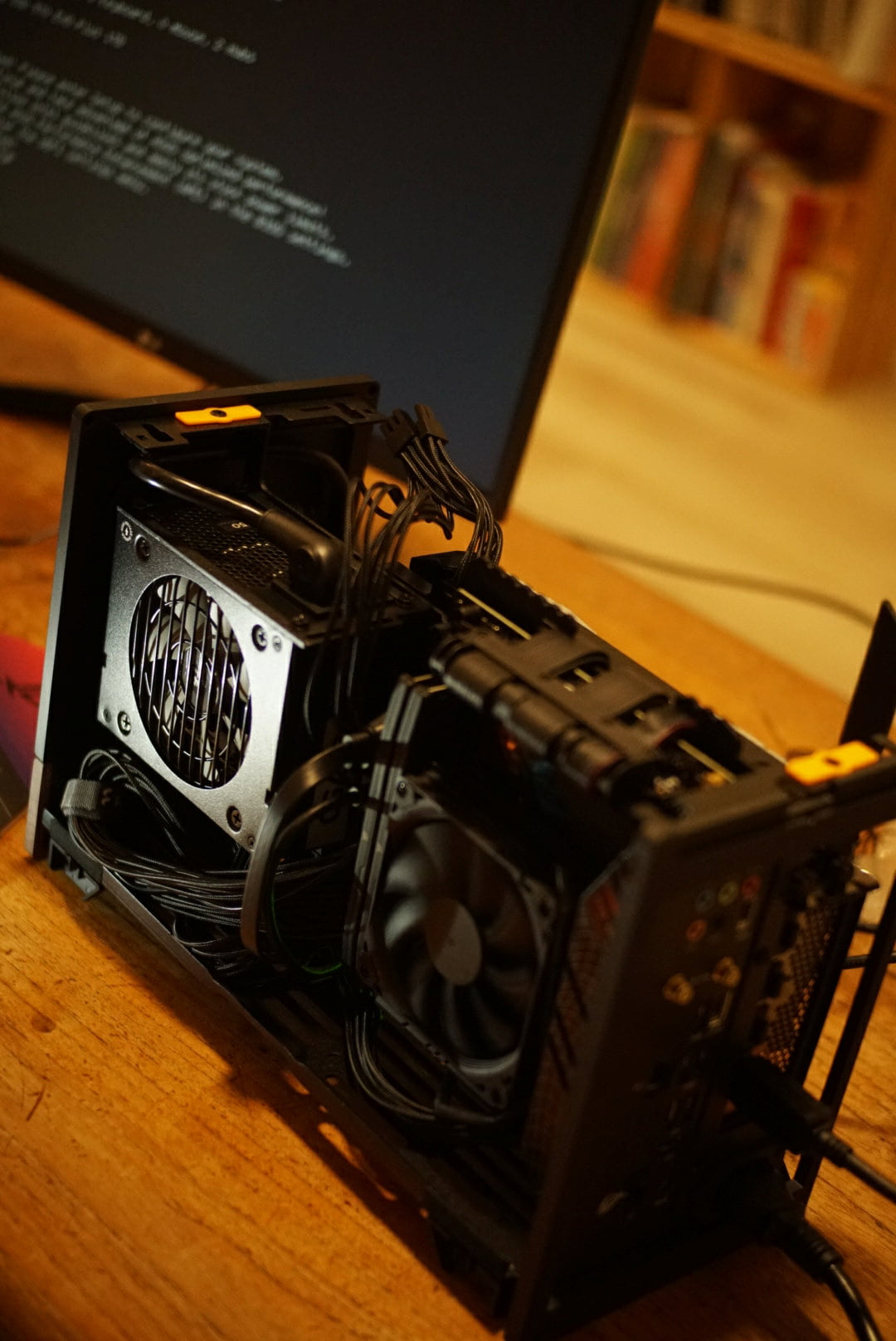
This also wen't better than expected. I watched a couple YouTube's. Looked over the Motherboard manual and diagrams. And, very slowly—triple checking every time I plugged something in—put it all together. It helped that there were build videos for my exact case, the Fractal Terra. This may be worth keeping in mind when choosing a case.
Fitting it into the small form factor was also easier than expected. I thought I'd be fussing with the cables more, but it all kind of just worked! That said, it wasn't flawless. I was booting into BIOS, yet after a variable amount of time it would freeze. Following attempts to boot would inconsistently make it to BIOS or not boot at all and display some LED errors on the Motherboard. After searching for more info on the LED indicators and unplugging and replugging several components I eventually found that the RAM slots were somewhat stiff and I had to actually push the RAM in more—even though the little clicky-lock-thing had already engaged.
After that, smooth sailing.
Landing on a Distro
I generally find Ubuntu to be less annoying than MacOS. That said, I did find myself getting annoyed with the default Snap version of Firefox that comes with Kubuntu. The idea behind Snap makes a ton of sense: while much of your system packages can maintain stability without rolling releases, modern browsers do make sense as rolling releases. Snap solves this. However, the notifications were annoying and untimely, and I experienced theme issues specific to the Snap version of Firefox and KDE.
I've since ditched flavors of Ubuntu in favor of Debian and Linux Mint. I'm not on rolling release on Debian, so my Firefox isn't always up to date with latest features—it does always get the latest necessary security updates. To get touchscreen and other laptop features to work, I did install a Surface specific kernel on my Debian install. Following the instructions, it got on without a hitch.
On Mint, I believe Firefox is installed via Flatpak by default, which seems to solve the same problems Snap does, without ever annoying me. The update manager on Mint is... well... mint!
Update: Still running Linux Mint on this Desktop and Debian 12 + Cinnamon DE on the Surface Laptop. I'm also in the process of reviving my 2010 ThinkPad T410 with Void linux. Again, if you don't want to fuss with customizations and drivers and specific packages, I truly think Linux Mint is the best option out there. If the UI feels too basic, you could look into themes, or try a linux distro with KDE or whatever Ubuntu has going on these days. There are also numerous linux distros focused at gaming: Bazzite, CachyOS, Nobara, among others.
Missing software
I miss Pixelmator. It's a Photoshop alternative that is MacOS only—indeed, it seems Apple even purchased it recently. I spent many hours as a teenager messing about in Photoshop. That UI layout and those keyboard shortcuts are just burned into my muscle memory.
I've since had good luck getting on with Lunacy for basic designs and layouts. It's more Figma-like than Photoshop-like. Of course, Gimp exists. But, I've always found it just different enough to be irksome and confusing. Perhaps, one day, I'll make the effort to get acquainted.
I also miss On1 Photo. I was fast with that app. Photo management was easy and joyful. Nothing I've tried in terms of photo management (just tagging, rating, flagging for deletion) has come close. But, again, maybe I just need to get over the initial hurdles. Or, maybe I'll dive into trying to run the Windows version via Proton? If anyone has tips for Raw Photo management on Linux, I'd love to hear 'em!
Wrapping up
Overall, I'm pleased. With Cinnamon I get a basic, yet fine enough looking desktop environment, that's stable and just works. I've actually yet to experience any UI bugs or otherwise, unlike with KDE.
I'm happy with Debian Stable and Cinnamon on my Surface laptop. I wanted something stable so I can forget about my laptop for weeks or even months and then just pick it up and start using it. No barrage of intrusive updates or constant new features. A lot of the time updates don't require a restart.
The Surface 1st Gen is coming up on 8 years old and still flying high. When I was running Windows, it was progressively getting slower to operate with each OS update. With Debian, it's consistently the same.
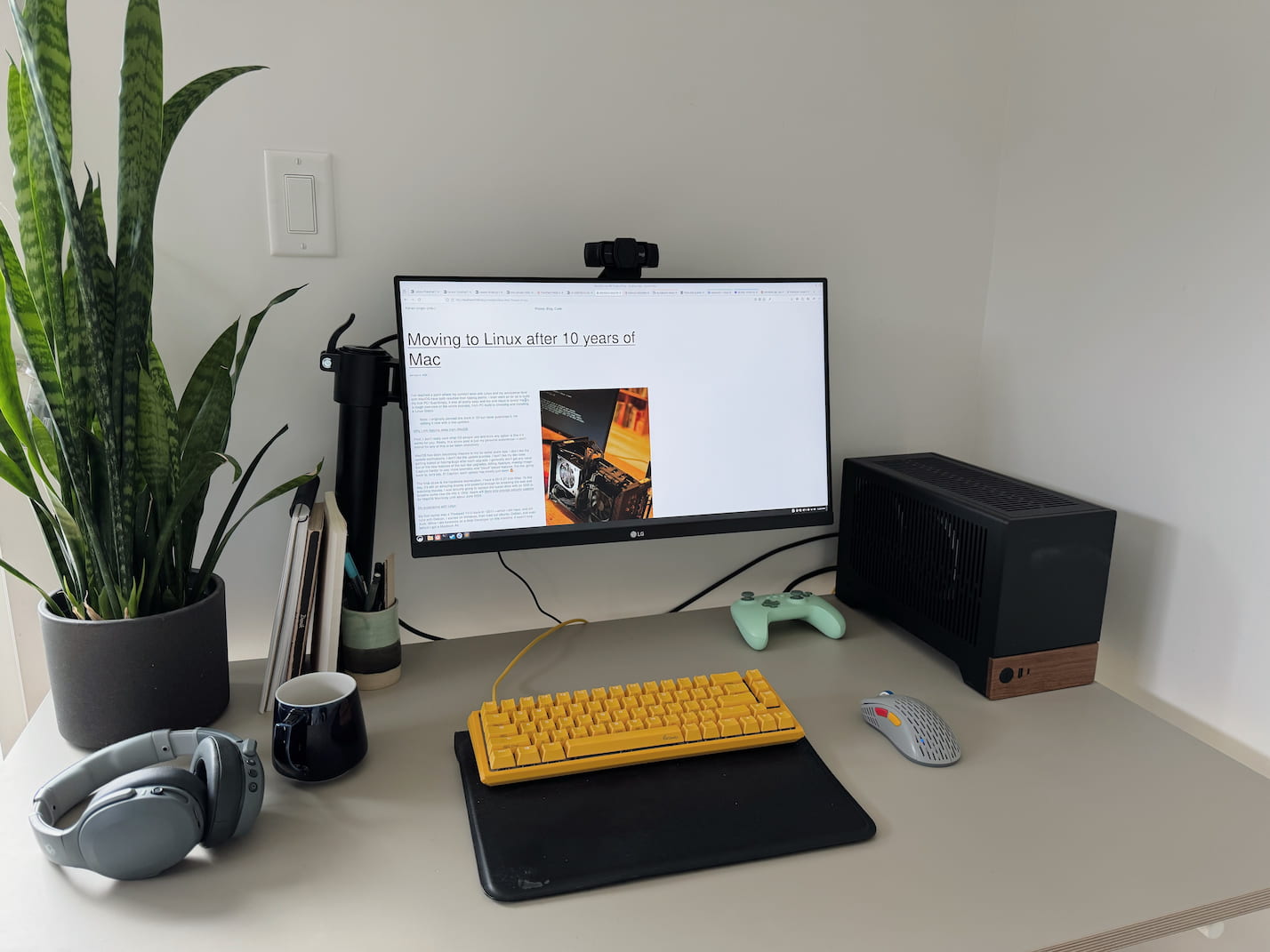
With my desktop, it's by no means an iMac or Mac Mini in terms of form factor, but it's small enough for me. I also quite like the matte black and walnut. I can't speak to the myriad of other Small Form Factor cases out there, but this one was suprisignly easy to build in. I mean it was my first, and only, custom PC build and it just sort-of came together!
Linux Mint is easily what I would recommend for anyone Linux curious. It's based on Ubuntu/Debian which makes it easy to find support and guides that will work with the underlying package manager and default toolchain. It may not be the flashiest or as eye-catching as MacOS, but, again, it just works.
Anyway, that's how I moved to Linux after a decade on MacOS.